HEIF vs PNG: Which Image Format Is Better? (2026)
HEIF and PNG solve completely different problems — which is exactly why people get them confused. One is built to shrink photos; the other is built to keep graphics pixel-perfect. Picking the wrong one means either bloated files or lost quality. This guide breaks down how they compare on size, quality, transparency, and compatibility, so you know which to reach for.
The Short Answer
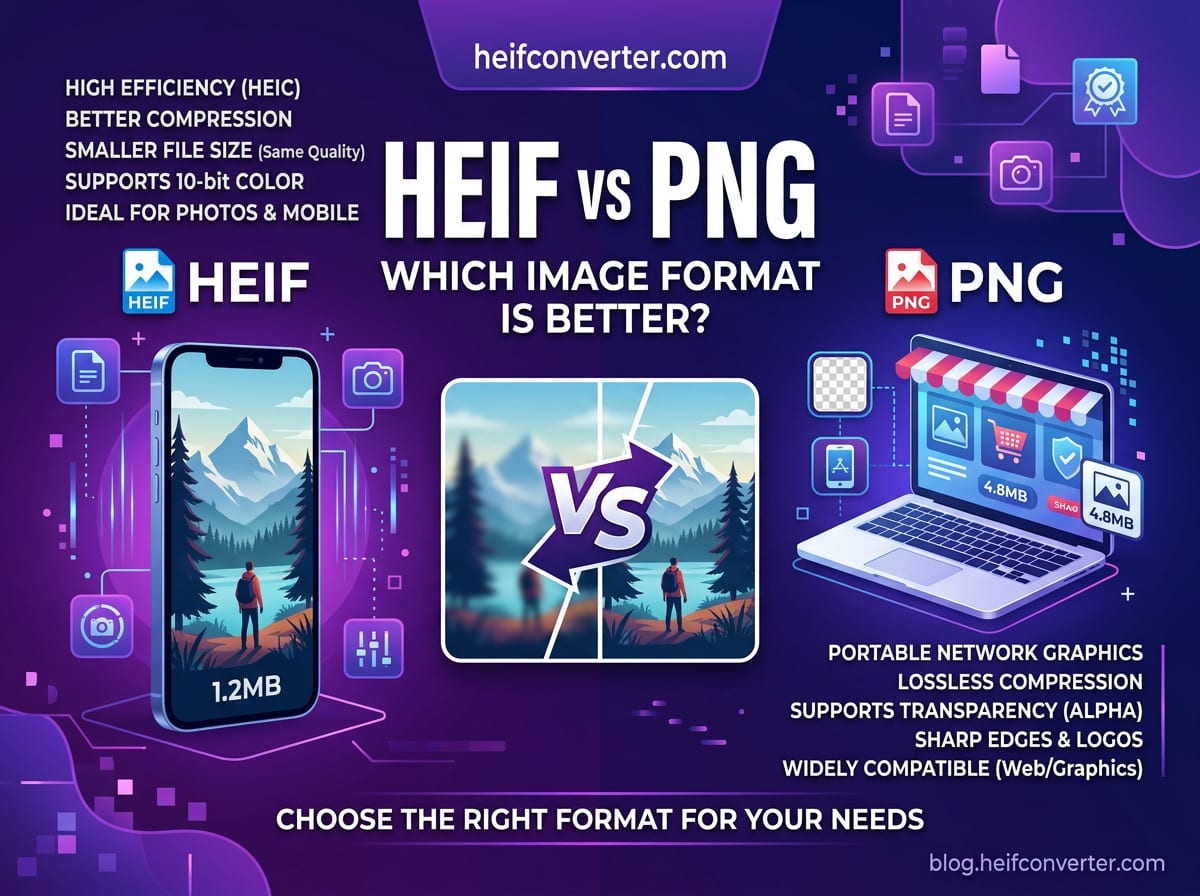
HEIF (High Efficiency Image File Format) is designed for photographs — it stores rich, detailed images in very small files. PNG is designed for graphics — logos, screenshots, icons, and anything with sharp edges or text that must stay perfectly crisp. If you're dealing with camera photos and want small files, HEIF wins. If you need flawless quality, transparency, and universal compatibility for a graphic, PNG wins.
At a Glance
| Feature | HEIF | PNG |
|---|---|---|
| Compression | Lossy (very efficient) | Lossless |
| File size (photos) | Very small | Very large |
| Transparency | Yes | Yes |
| Best for | Photos | Graphics, text, screenshots |
| Browser support | Safari only | Universal |
| Quality loss | Minor, usually invisible | None |
Compression: The Core Difference
This is where the two formats split. PNG is lossless — it preserves every single pixel exactly as it was, with zero quality loss. That's perfect for a logo or a screenshot, but disastrous for a photo: a detailed image saved as PNG can be many times larger than necessary. A photograph that's 2.5 MB as a PNG might be a fraction of that in a format built for photos.
HEIF uses lossy compression, discarding small details the eye won't notice to achieve dramatically smaller files — roughly half the size of even a JPEG at similar quality. For photographs, that trade-off is almost always worth it. For a graphic with sharp text or hard edges, lossy compression can introduce faint blurring or artifacts that PNG avoids entirely.
Quality: It Depends on the Image
Neither format is "higher quality" in the abstract — it depends entirely on what you're saving:
- For photographs: HEIF looks excellent at a tiny fraction of PNG's file size. The minor data it discards is invisible in a normal photo.
- For graphics, logos, and screenshots: PNG is the clear winner. Its lossless compression keeps text razor-sharp and lines clean, with no compression artifacts around edges.
The rule of thumb: continuous-tone images (photos) favor HEIF; flat-color images with crisp edges (graphics) favor PNG.
Transparency: Both Support It
PNG is famous for transparency — its ability to have a see-through background is why it dominates web graphics and logos. HEIF supports transparency too, along with even richer features like depth maps and 16-bit color. So if transparency is your only requirement, both can do it. The deciding factor becomes compatibility — and that's where PNG pulls ahead for anything destined for the web.
Compatibility: PNG Wins Decisively
PNG has been a universal standard for decades. It opens in every browser, app, operating system, and device without exception — and it displays transparency everywhere. HEIF is the opposite story: among major browsers, only Safari renders it. Chrome, Firefox, and Edge show a broken image, Windows needs extra extensions, and older devices can't open it at all. This stems from the patent licensing around HEIF's HEVC compression, which has kept most software from adding support. For more background, see what HEIF is.
The practical upshot: you would never put a HEIF file on a website and expect it to display for most visitors. PNG, by contrast, just works everywhere.
When to Use Each
Use HEIF when:
- You're storing photographs and want to save space
- You're working inside Apple's ecosystem (it's the default iPhone format)
- File size matters more than universal compatibility
Use PNG when:
- You're saving logos, icons, diagrams, or screenshots
- You need a transparent background that displays everywhere
- The image has sharp text or edges that must stay perfectly crisp
- You need guaranteed compatibility across every browser and device
What About the Web?
For websites specifically, neither HEIF nor PNG is usually the ideal default. HEIF won't display in most browsers, and PNG produces oversized files for photos. The modern web favors WebP (and increasingly AVIF), which combine small file sizes with near-universal browser support. PNG still earns its place for graphics that need transparency or pixel-perfect edges, and it remains a safe lossless fallback. If your HEIF photos are headed for a website, the practical move is to convert them to a web-friendly format first.
Frequently Asked Questions
Is HEIF better than PNG?
For photos, yes — it's far smaller at comparable quality. For graphics, logos, and screenshots, PNG is better because its lossless compression keeps edges and text perfect. They're built for different jobs.
Which is smaller, HEIF or PNG?
HEIF, by a wide margin, especially for photographs. PNG's lossless compression makes photo files very large, while HEIF is built for compact photo storage.
Should I convert PNG to HEIF?
Only if it's a photo and you want to save space within a compatible system. For graphics or anything web-facing, keep PNG (or convert to WebP) for compatibility.
Can I open a HEIF file if I only have PNG support?
No — they're different formats. Convert the HEIF to PNG or JPG first, then it will open anywhere.
Need a HEIF photo as a PNG or JPG? Convert it in your browser in seconds — free, private, and no upload required.