Drop your HEIF / HEIC files here
Supports .heic and .heif — the format used by iPhones and iPads
Files
Converted files
How it works
Drop your files
Drag HEIC or HEIF photos from iPhone, iPad, or Mac directly onto the page.
Choose format
Pick JPG for photos, PNG for transparency, or SVG for web and design projects.
Click Convert
Conversion runs entirely in your browser using a proven HEIF decoder — no upload needed.
Download
Save files individually or grab them all in a single ZIP archive.
Fully private
Your images are decoded locally using WebAssembly. Nothing is ever sent to a server.
Batch processing
Convert dozens of files at once. Each file shows its own status and preview.
Quality control
Fine-tune JPG compression from 10% to 100% to balance file size and image quality.
ZIP download
Download all your converted files in a single ZIP — no need to click each one individually.
JPG JPEG
Best for photos. Smaller file size with adjustable quality. Use for sharing on social media, email, or web.
PNG PNG
Lossless compression with transparency support. Ideal for screenshots, logos, or images with sharp edges.
SVG SVG
Scalable vector container that embeds your photo. Works in browsers and design tools at any size.
Understanding HEIC & HEIF
If you've ever emailed an iPhone photo and the recipient replied "it won't open," you've run into the HEIC problem. Here's exactly what these formats are, why your phone uses them, and why the rest of the internet can't read them.
What is HEIF?
HEIF stands for High Efficiency Image File Format. It's a modern image standard published by the Moving Picture Experts Group (MPEG) as ISO/IEC 23008‑12, designed as a successor to JPEG, which has been around since the early 1990s.
What makes HEIF special is efficiency. A HEIF file stores an image at roughly half the file size of an equivalent JPEG while keeping the same visual quality. A 12‑megapixel photo that takes 5–8 MB as a JPEG comes in at 2–4 MB as HEIF. Across thousands of phone photos, that adds up to gigabytes of saved storage.
HEIF is also far more capable than older formats. A single HEIF file is a container that can hold:
- Multiple images in one file (think Live Photos and photo bursts)
- Image sequences and short animations
- Transparency (alpha channels), like PNG
- Depth maps used for portrait‑mode blur effects
- Edits stored separately from the original, so changes can be undone
- Rich metadata: location, camera settings, thumbnails
What is HEIC?
HEIC stands for High Efficiency Image Container — it's the version of HEIF you've almost certainly encountered. The distinction is simple: HEIF is the format. HEIC is a specific flavour of it. When a HEIF container compresses its images using the HEVC codec (also called H.265 — the same technology used for high‑efficiency video), the file uses the .heic extension. Every HEIC file is a HEIF file, but not every HEIF file is a HEIC file.
HEIC matters because Apple adopted it as the default photo format on iPhones starting with iOS 11 in 2017. Unless you've changed a setting, every photo your iPhone has taken since then is saved as a .heic file. iPads and recent Macs do the same. With well over a billion active iPhones in the world, an enormous number of photos sit in a format that much of the web can't display.
You may also see .heif (still images using other codecs), .heics (HEVC image sequences), and .heifs (general sequences). For everyday purposes, HEIC is the one that shows up on people's phones — and it's what most people mean when they say "that image format my computer won't open."
Why convert HEIC?
HEIC is excellent at saving space, but it has a real‑world problem: almost nothing outside Apple's own apps can open it reliably.
The biggest gap is in web browsers. As of 2026, only Safari displays HEIC images directly. Chrome, Firefox, Edge, Opera, and Samsung Internet have no native support — and Chrome alone accounts for roughly three‑quarters of all web traffic. Put a HEIC image on a website and the majority of your visitors see a broken image.
This isn't laziness on the browsers' part. HEIC relies on the HEVC video codec, which is covered by a tangle of patents held by multiple licensing groups. The royalty situation is complex and contested, so browser makers have largely chosen not to ship a licensed decoder. Safari gets around this by borrowing the decoder that macOS and iOS already use for video playback — a shortcut other browsers can't take.
The result is friction wherever HEIC photos go:
- Sharing: Send a HEIC photo to someone on Windows or Android and it often won't open without extra software.
- Uploading: Many forms, job portals, government sites, and content platforms reject HEIC outright and ask for JPG or PNG.
- Editing: Plenty of older photo editors and design tools don't recognise the format.
- Printing: Photo print services and kiosks frequently can't process HEIC files.
- Older Windows PCs: Windows displays HEIC only after installing extra extensions from the Microsoft Store — many people don't realise they need them.
Converting to JPG, PNG, or WebP solves all of this at once. JPG, in particular, opens on virtually any device made in the last 25 years, displays in every browser, and is accepted by every upload form. That universal compatibility is why the small trade‑off in file size is almost always worth it.
Common reasons people convert HEIC
Real situations where switching to JPG, PNG, or WebP fixes the problem instantly.
Sending photos to friends & family
Recipients on Windows or Android often can't open HEIC without extra software.
Uploading to websites & forms
Job applications, insurance claims, school portals, and government sites usually need JPG or PNG.
Web designers & developers
Client photos arrive in HEIC; you need files that display in every browser.
Printing photos
Many home printers and photo print services don't recognise HEIC at all.
Importing into older software
Design tools, document editors, and photo programs that predate the format.
Archiving & backups
A future‑proof, universally readable format you'll still open in 20 years.
Real estate & e‑commerce listings
Phone photos that need to go live on a marketplace or listing site right away.
Posting to platforms
Forums, CMS uploads, and some social platforms still reject HEIC outright.
Frequently asked questions
Latest from our HEIC & HEIF guides
View all guides →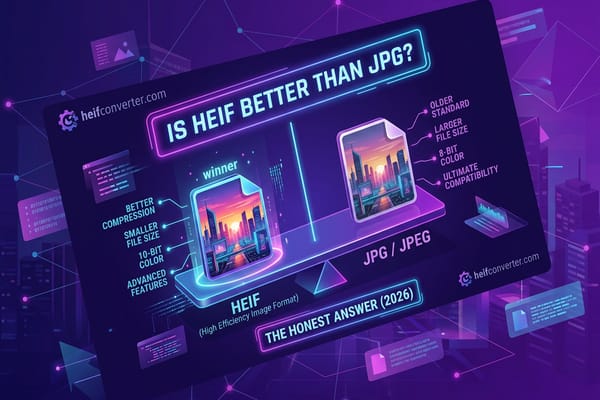
Is HEIF Better Than JPG? The Honest Answer (2026)
Yes for quality and file size, no for compatibility. Here's exactly when each format wins — and what to use in real life.
Read article →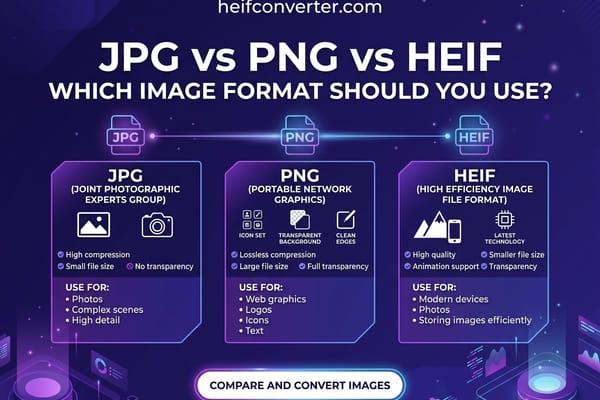
JPG vs PNG vs HEIF: Which Image Format to Use
Three formats, three different jobs. Side-by-side comparison so you always know which one to pick.
Read article →
HEIF vs WebP: Key Differences & Which to Use
HEIF dominates the camera roll, WebP dominates the web. The full comparison — compression, browser support, real use cases.
Read article →